Quote to Invoice – How to Convert an Accepted Quote into an Invoice
Converting a quote to an invoice means turning an accepted estimate into a formal payment request. Once your client approves the quote, the same line items, pricing, VAT and customer details are transferred into an invoice. This ensures accuracy, saves time and speeds up payment.
How to Convert a Quote to an Invoice in QuoteInvoice
Create or Select a Customer
Create new customer in QuoteInvoice with name, email, phone, address and optional VAT number.
In QuoteInvoice, you can create a new customer by entering:
- Name
- Phone number
- Address
- VAT number (optional)
This ensures all client details are stored and automatically transferred to future quotes and invoices.
Create a New Quote
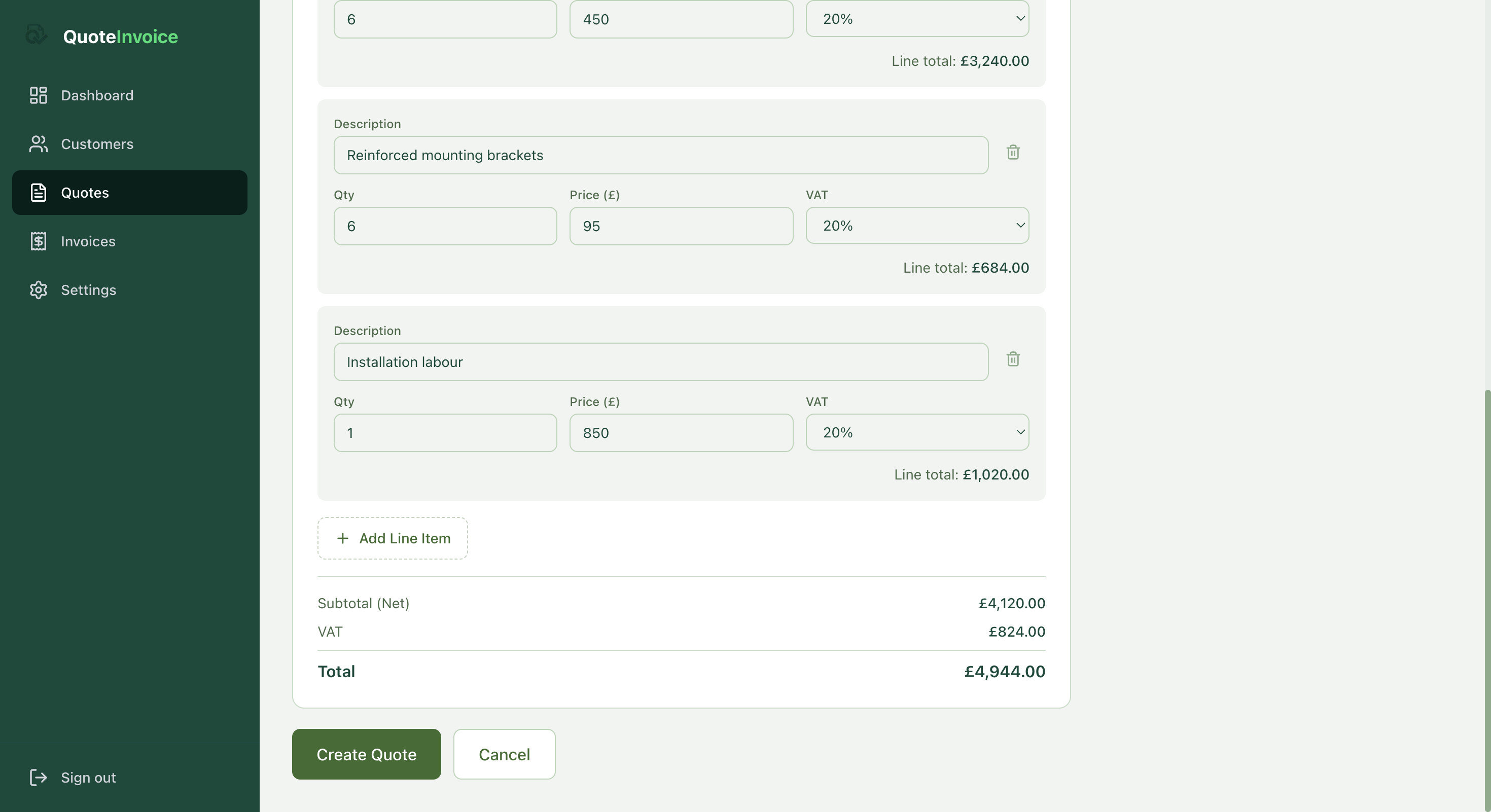
Creating a new quote in QuoteInvoice with customer selection, validity date and notes section.
When creating a quote, you can:
- Select an existing customer
- Set a validity date
- Add project notes
- Add detailed line items
Each line item includes:
- Description
- Quantity
- Price
- VAT rate
- Automatic line total calculation
The system automatically calculates:
- Subtotal
- VAT
- Total
This eliminates manual calculation errors.
Send the Quote to the Client
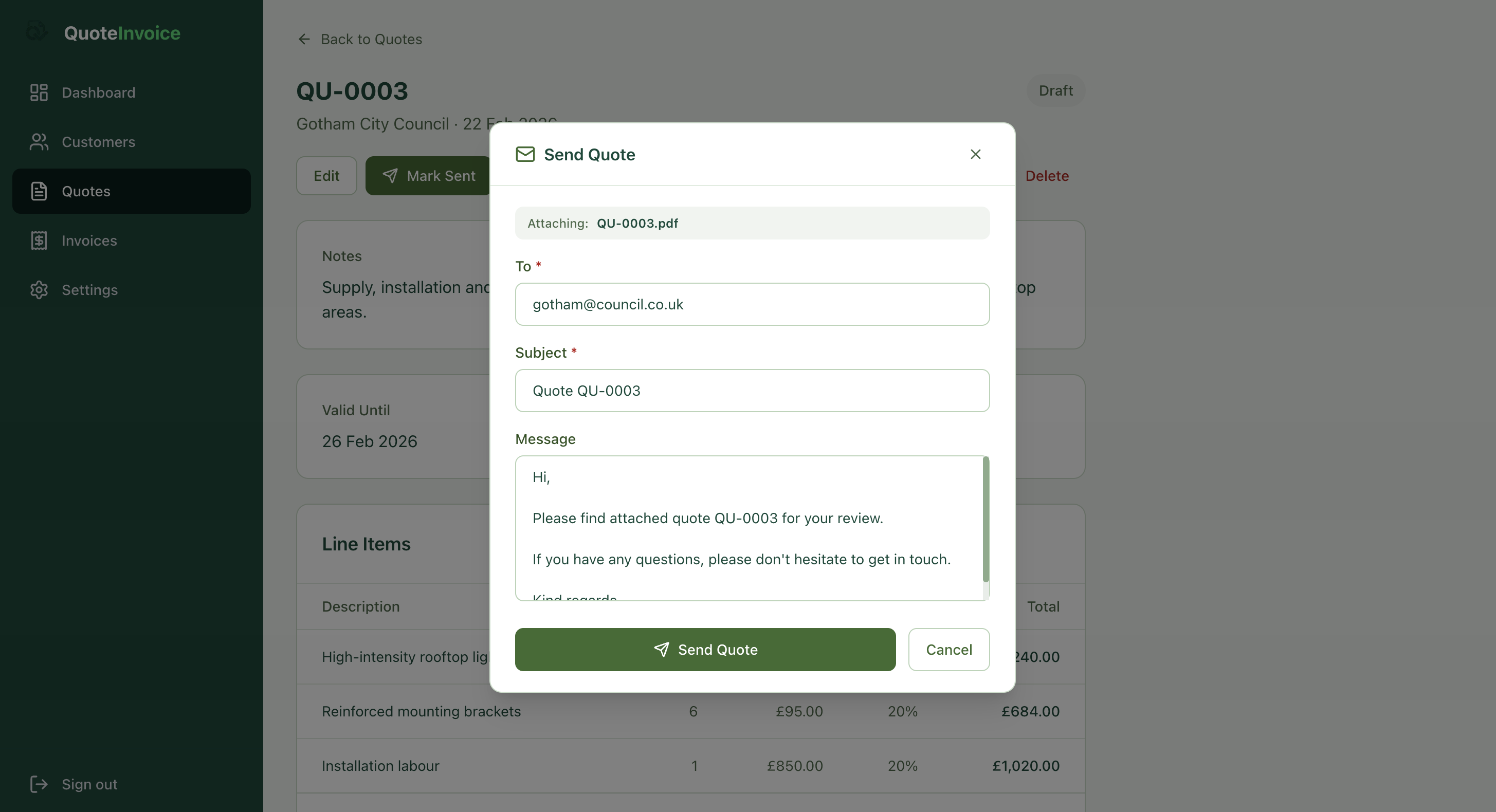
Sending a professional quote email with PDF attachment directly from QuoteInvoice.
Once ready, click Send Quote.
QuoteInvoice:
- Automatically attaches a PDF
- Prefills client email
- Generates subject line
- Provides editable message template
You can send the quote directly without leaving the system.
Try QuoteInvoice free for 14 days
Create quotes, send invoices and convert them in one click. No credit card needed.
Mark Quote as Accepted
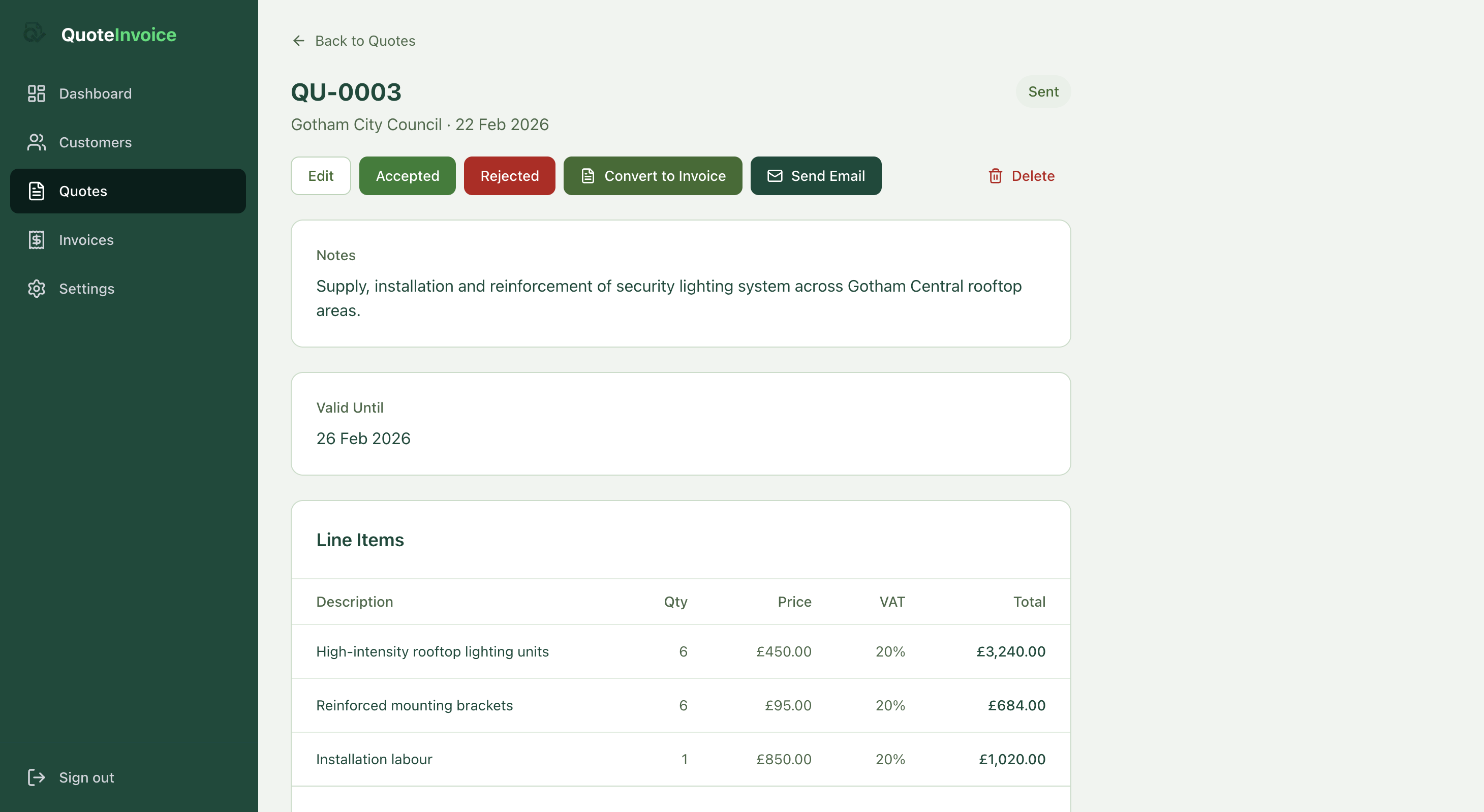
Accepted quote screen in QuoteInvoice showing Convert to Invoice button.
When your client approves the quote, simply click Accepted.
The quote status updates and the Convert to Invoice button becomes available. This keeps your workflow organised and transparent.
Convert to Invoice in One Click
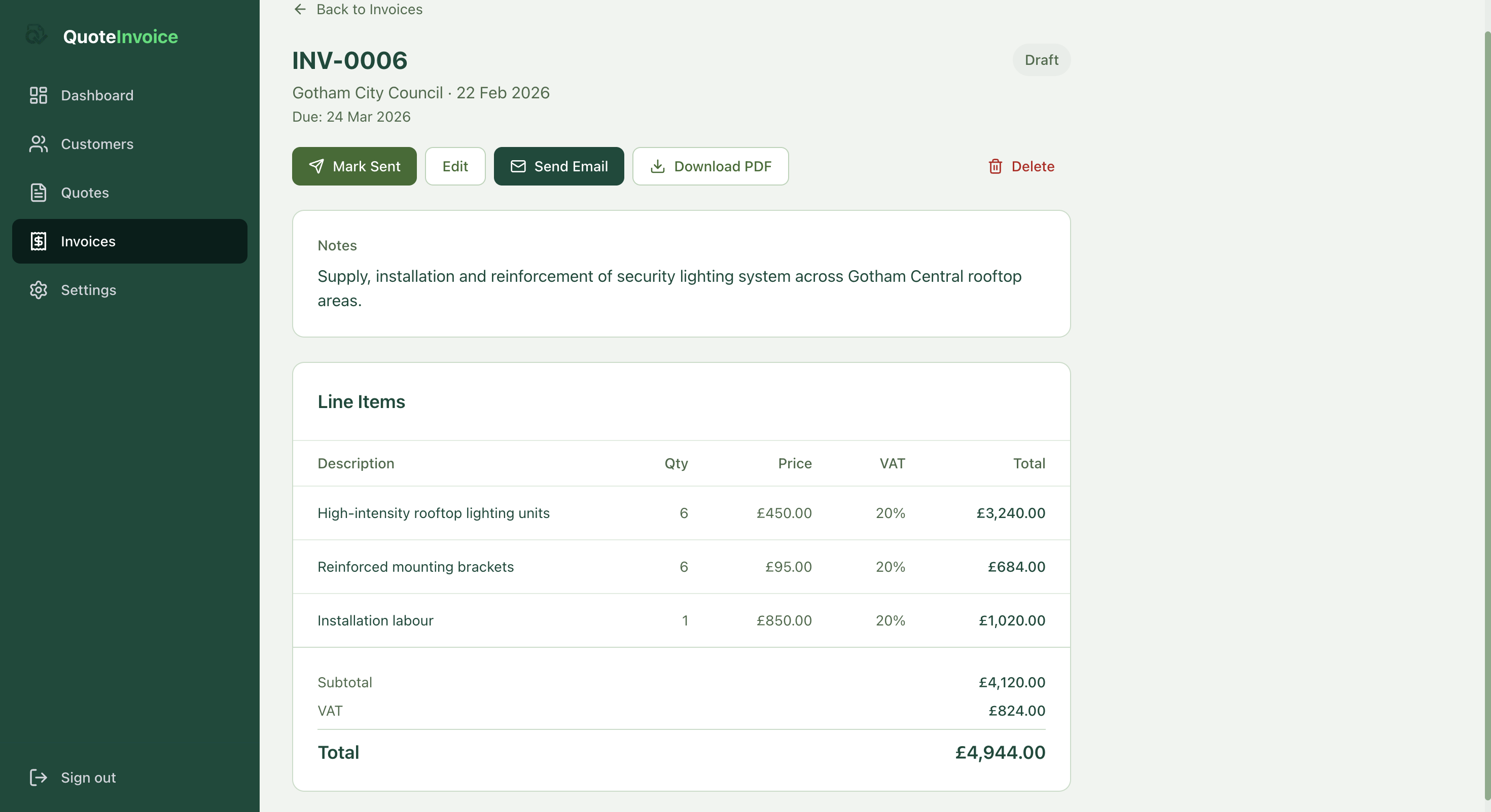
Converting accepted quote to invoice in one click inside QuoteInvoice.
Click Convert to Invoice.
QuoteInvoice automatically:
- Copies all line items
- Transfers VAT rates
- Transfers customer details
- Keeps totals identical
- Creates a draft invoice
No rewriting. No duplication. No errors.
Review and Send the Invoice
From the invoice screen, you can:
- Edit if needed
- Mark as sent
- Email directly
- Download PDF
The invoice keeps full consistency with the approved quote, ensuring professionalism and legal clarity.
Quote vs Invoice – What's the Difference?
| Quote | Invoice |
|---|---|
| Proposal for work | Request for payment |
| Sent before work starts | Sent after approval or completion |
| Not legally binding | Legally binding |
| No payment required | Payment due |
A quote sets out what you plan to do and at what price. An invoice is the formal request for payment once the work is agreed or complete. Converting a quote to an invoice in QuoteInvoice ensures both documents stay consistent — protecting you and your client.
Why Converting Quotes to Invoices Matters
For UK tradespeople, the quote-to-invoice process is where admin time is most often lost. Manually re-entering line items, recalculating UK VAT at 20%, and copying customer details across two documents creates room for errors and delays payment.
- Saves time on admin
- Prevents pricing mistakes
- Keeps UK VAT accurate across both documents
- Improves cash flow by invoicing faster
- Maintains a professional image with clients
- Keeps records organised for HMRC
QuoteInvoice is built specifically for UK tradespeople — plumbers, electricians, builders, decorators and more. The one-click quote-to-invoice conversion means you spend less time on paperwork and more time on the tools.
Frequently Asked Questions
Can a quote be converted into an invoice?
Yes. Once accepted, a quote can be converted into an invoice, transferring all pricing and client details automatically. In QuoteInvoice this happens in a single click.
Does an invoice need to match the quote exactly?
In most cases yes. If scope changes, the invoice should reflect agreed updates — and both you and the client should confirm any changes in writing before invoicing.
Is a quote legally binding in the UK?
A quote becomes binding once formally accepted by the client. Unlike an estimate, a quote is a fixed price offer. Once the client accepts it, you are both bound by those terms.
When should I send an invoice after a quote?
You can invoice immediately after acceptance or after completing the work, depending on your agreement. For larger jobs, many tradespeople invoice in stages — a deposit on acceptance, then the balance on completion.
Ready to convert quotes to invoices in one click?
QuoteInvoice is built for UK tradespeople. Create quotes, send invoices, and track payments — all in one place. UK VAT support included.
Start Free Trial →14 days free. No credit card needed.